
The official buying route: eight steps
From product discovery to receipt, with the original tutorial images in the official order. Two separate payments connect the journey.
Before you begin
Confirm the seller, actual variant, size, quantity and route restrictions. A catalogue link does not establish stock or shipping eligibility. Create an account and review current terms before payment.
Tutorial text and image order checked against official public API article 12 on 15 October 2026. The older screenshots contain example prices, coupons, routes and account values. Use the current Kakobuy form and terms.
Select products
Start with a product you have checked on a category shelf or marketplace. The official tutorial offers three discovery methods: copy and paste a product link, search by image, or enter a keyword.
Before moving on, open the actual seller listing and identify its colour, size and quantity options. An image search match can point to a different seller or variant. The tutorial names Taobao, Tmall, 1688 and JD for automatic product search; an unsupported or unreadable listing may require the manual branch in step 2.
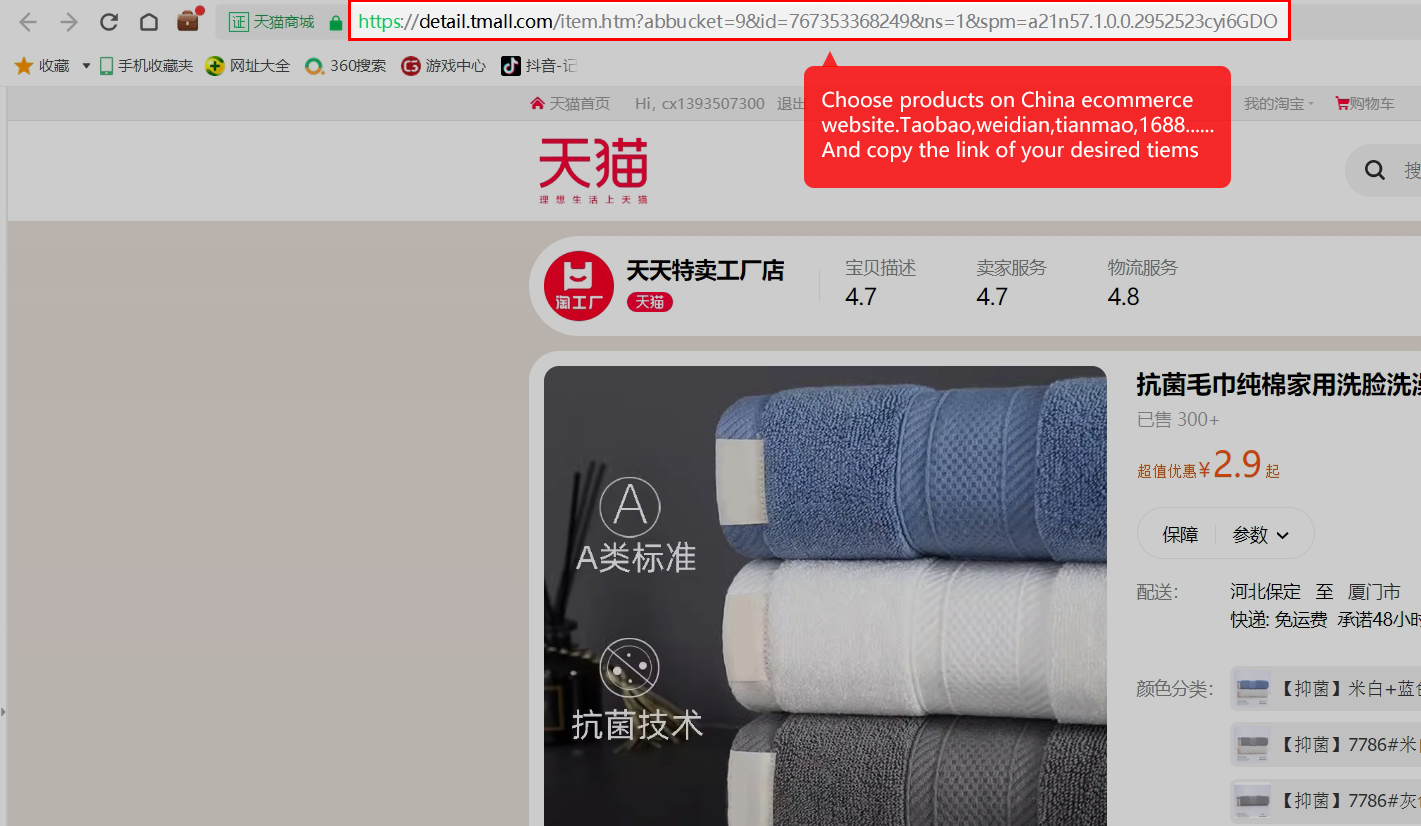
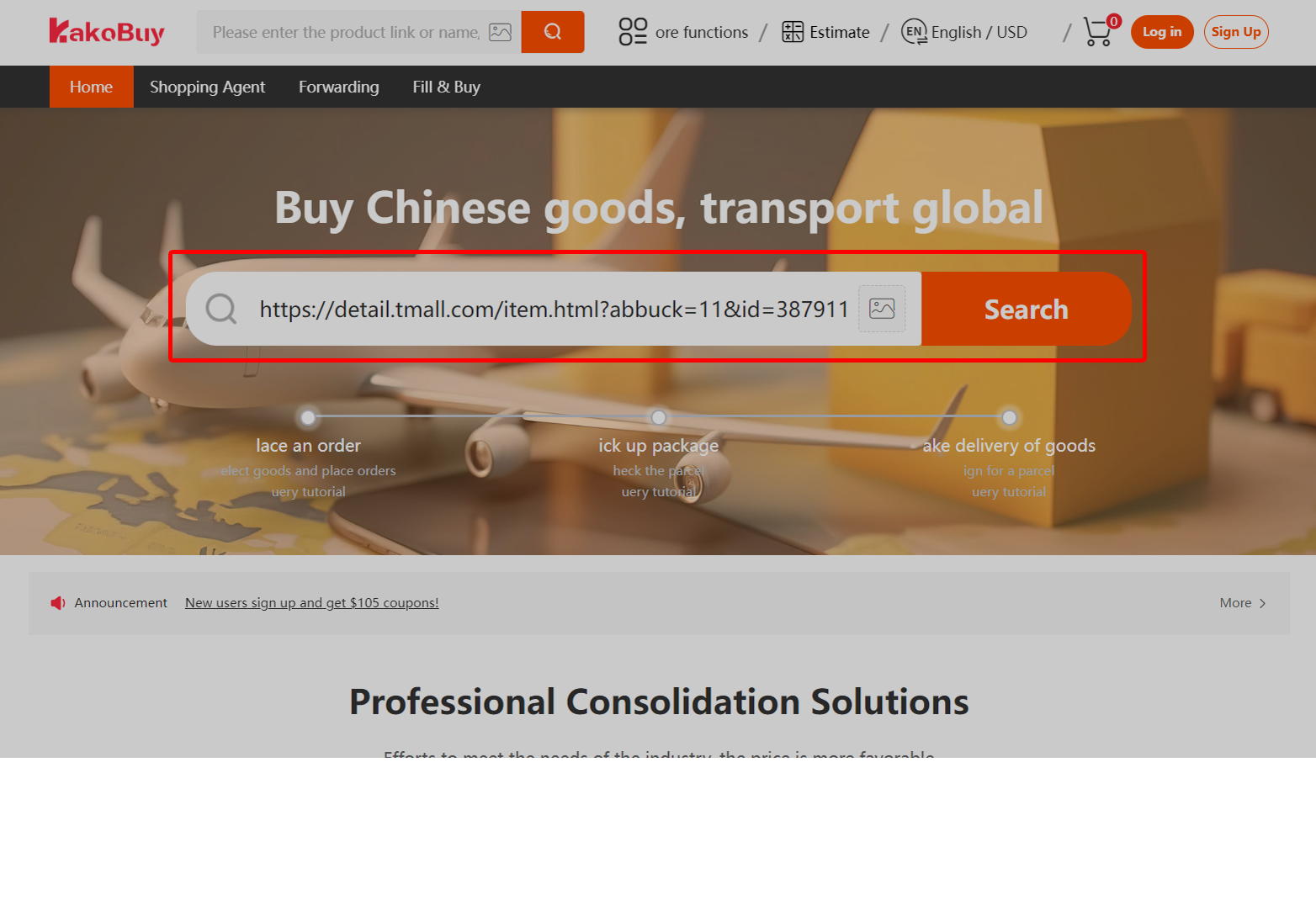
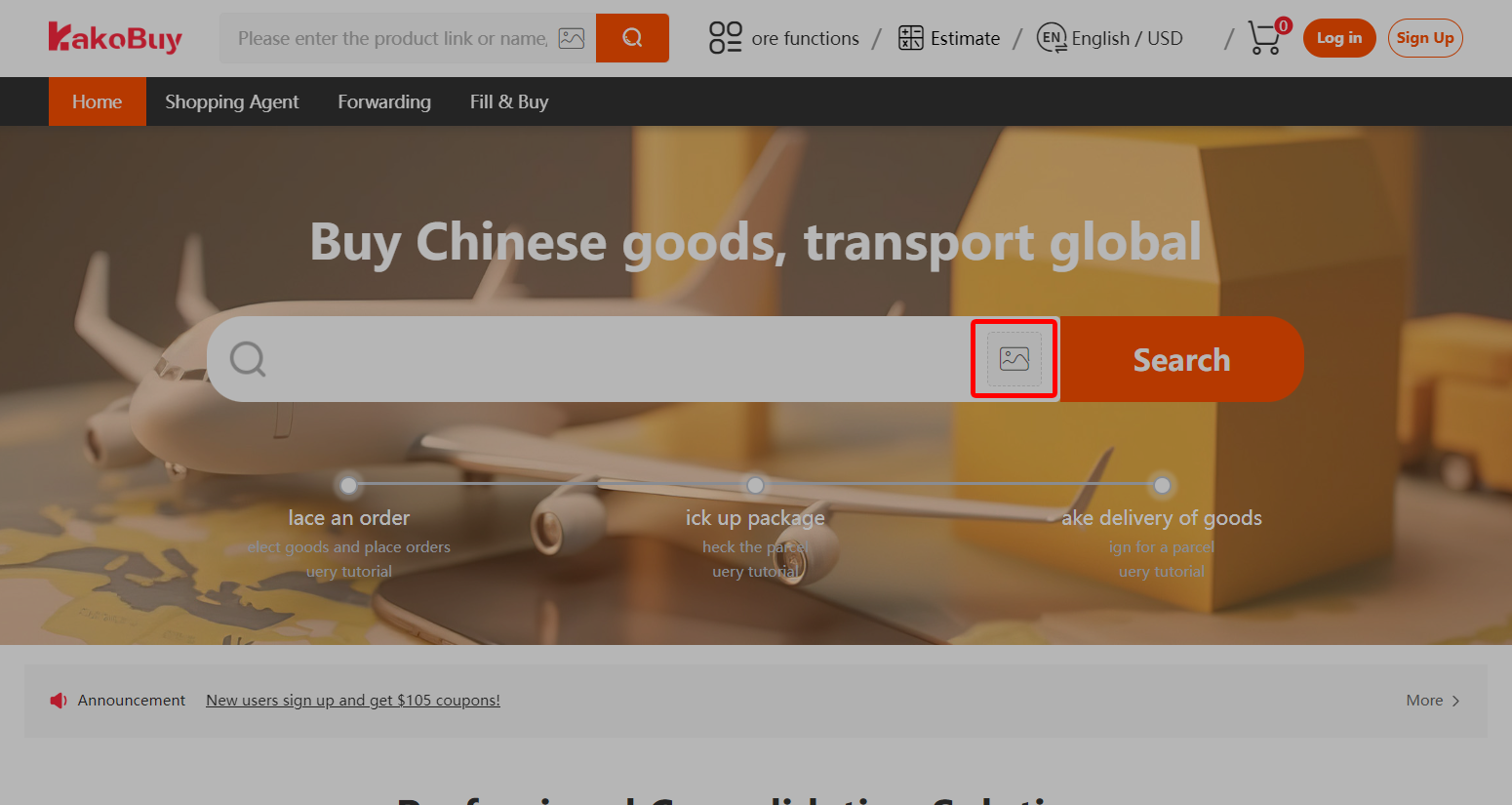
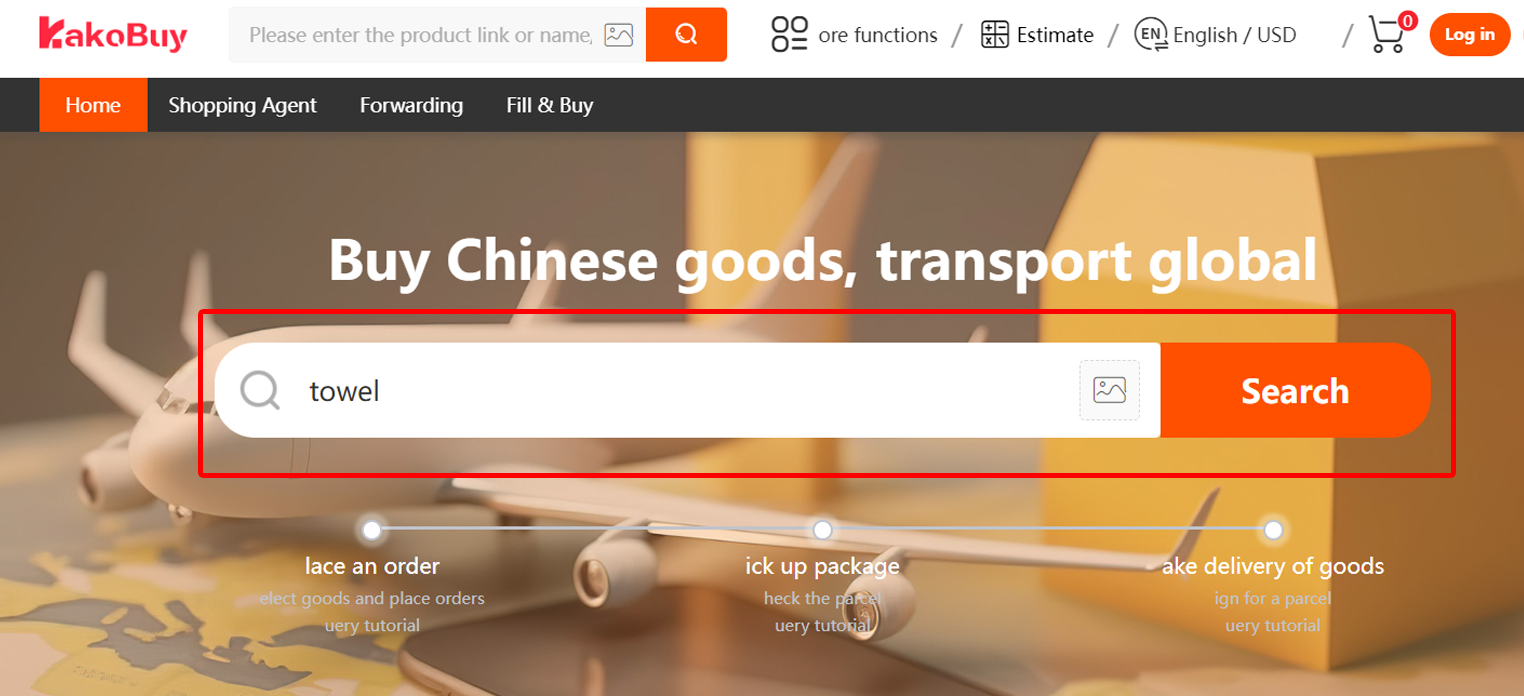
Submit the purchasing order
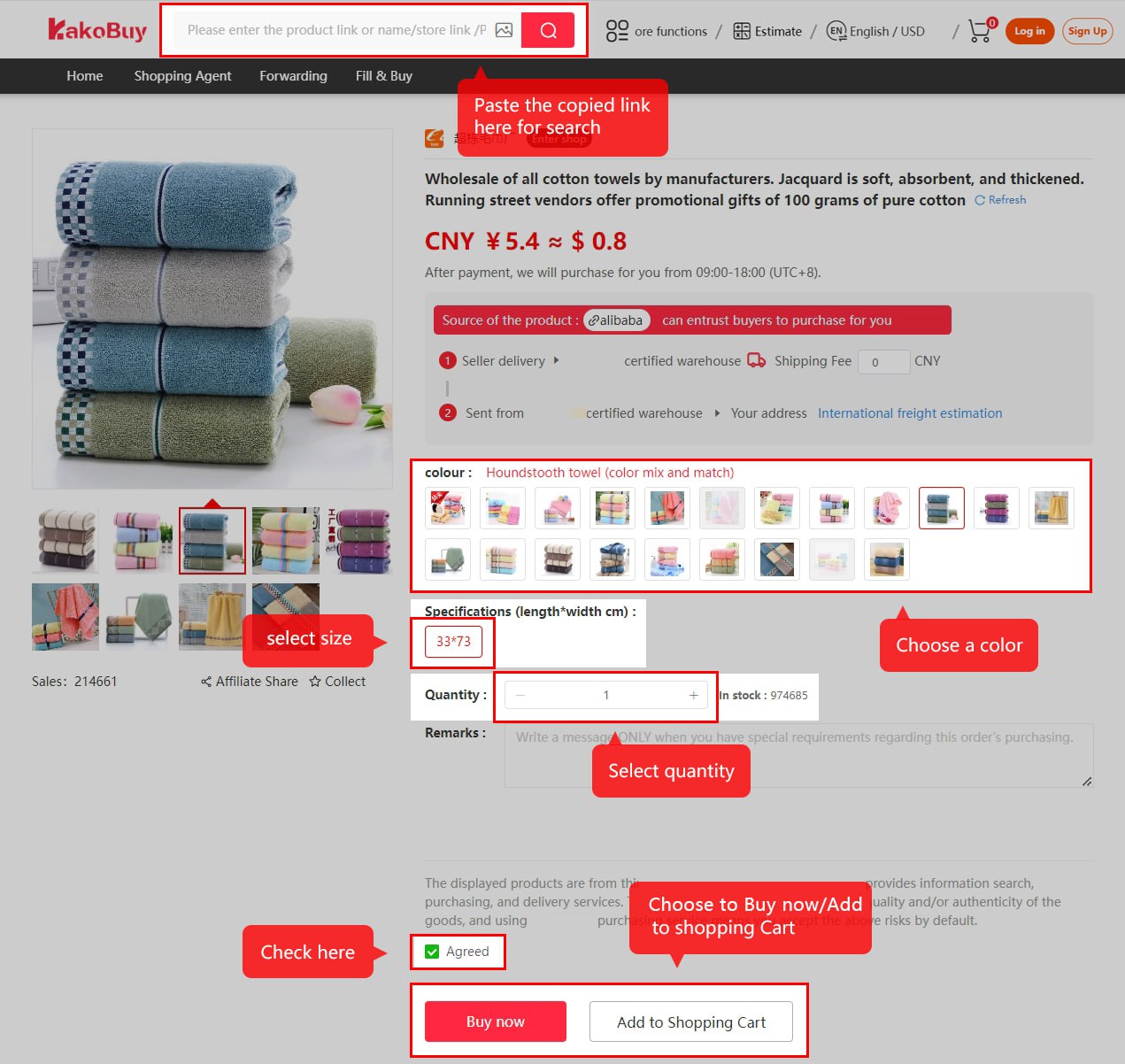
On the imported product page, choose colour, size and quantity. Use remarks for a clear purchasing requirement, such as the exact specification to confirm. Review the agreement and add the item to your cart or choose Buy now.
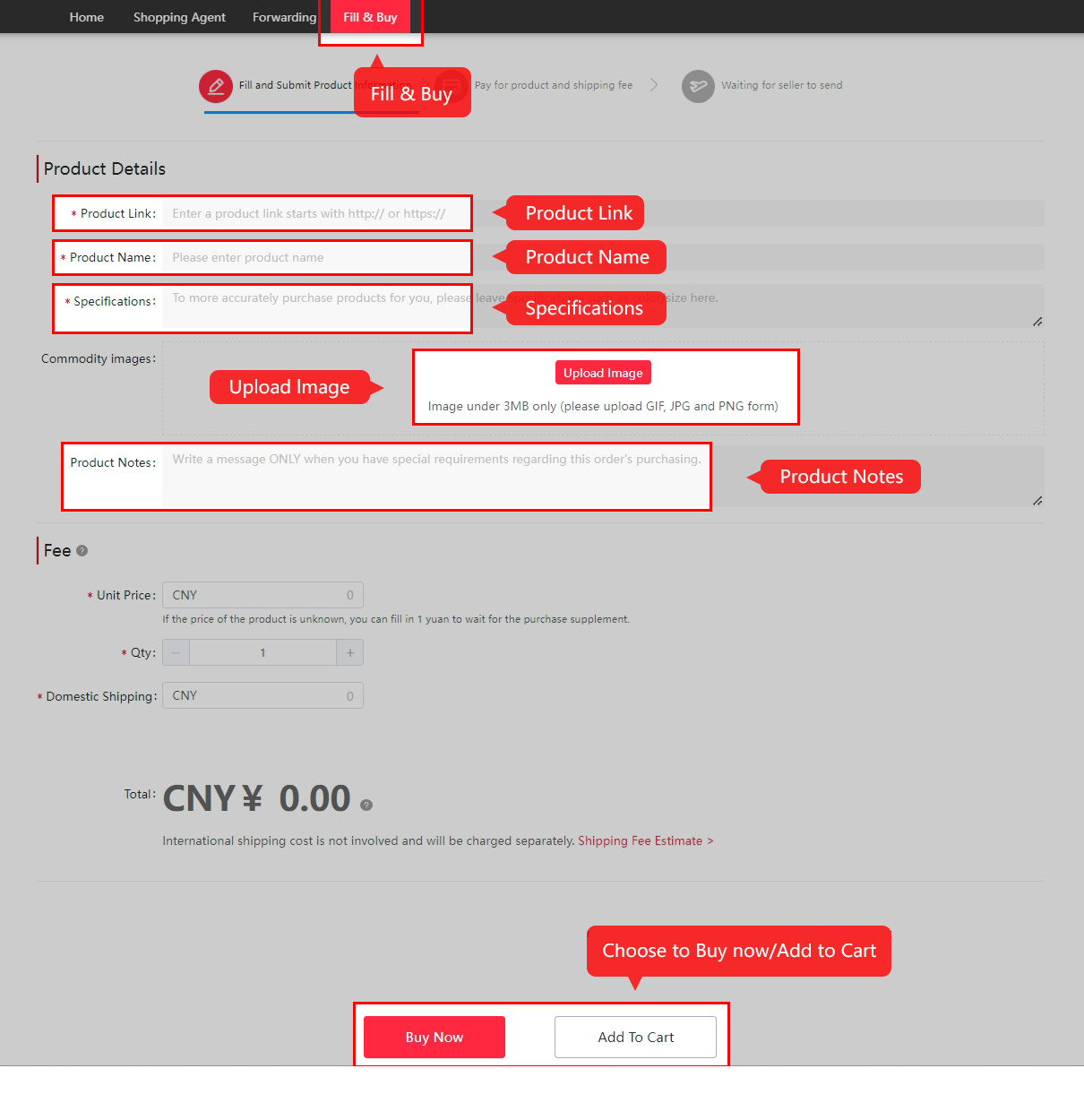
If you use Fill & Buy, enter the product link, product name, specification, quantity and seller-to-warehouse delivery charge. Read the manual-order conditions before payment; a manually entered description does not establish stock or after-sales cover.
Pay for the goods and domestic delivery
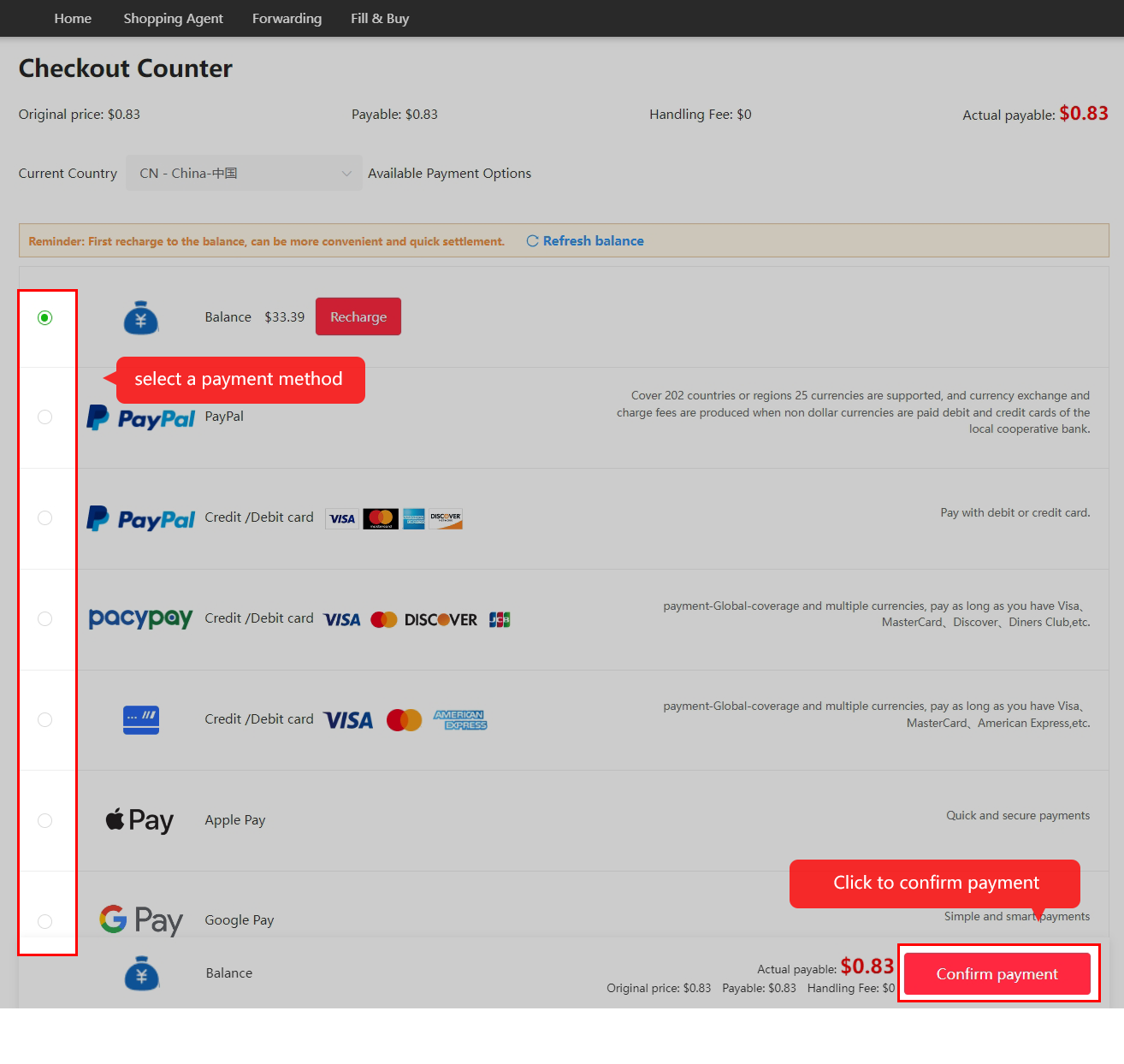
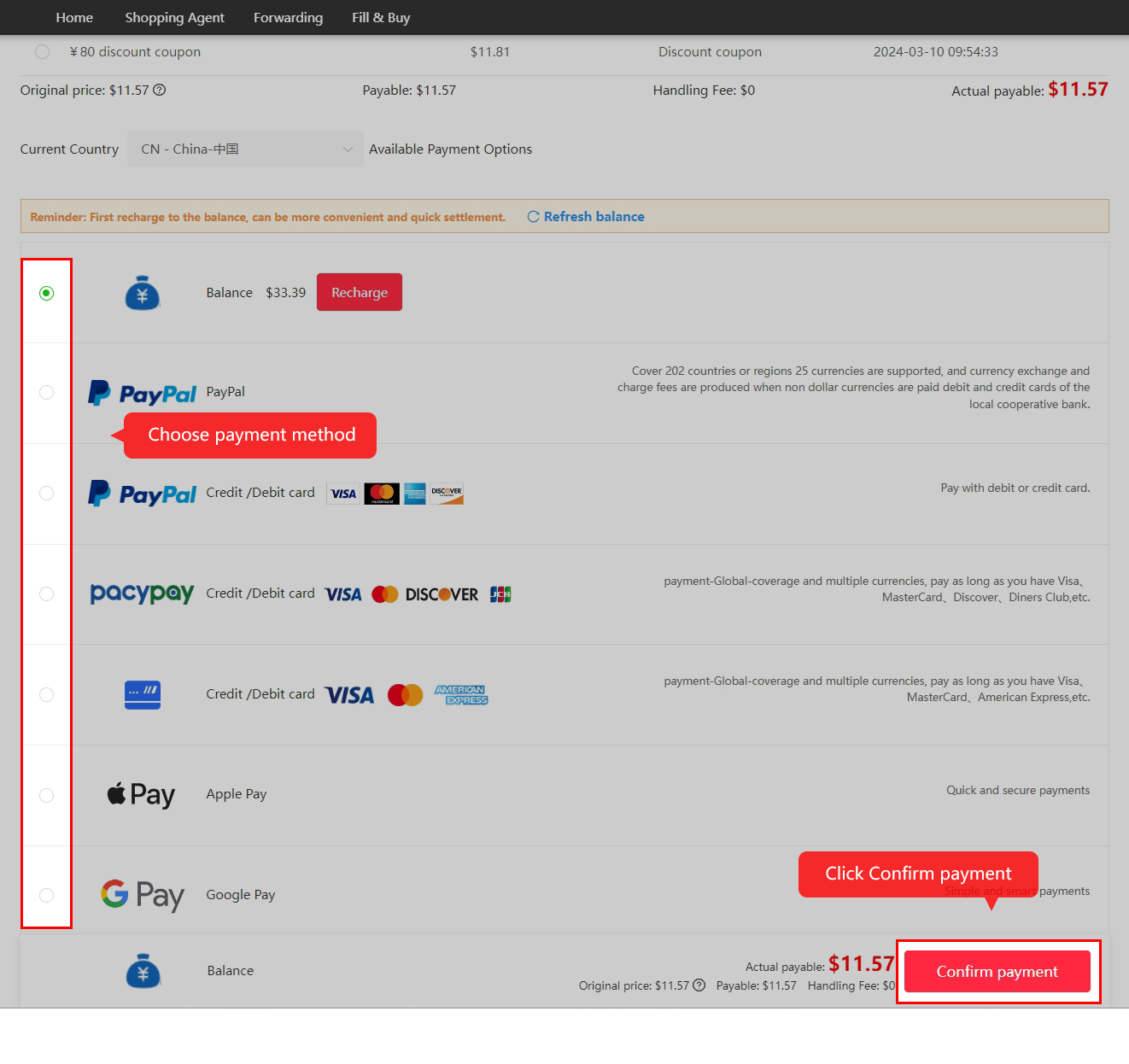
This payment funds the items and their delivery from the seller to Kakobuy's warehouse. International shipping is a separate payment at step 6.
Check the actual payable amount, chosen payment method, conversion and any fee before confirming. The operator's help pages contain different PayPal examples, so use the live payment screen rather than a rate copied from this older screenshot.
Wait for purchasing and delivery to the warehouse
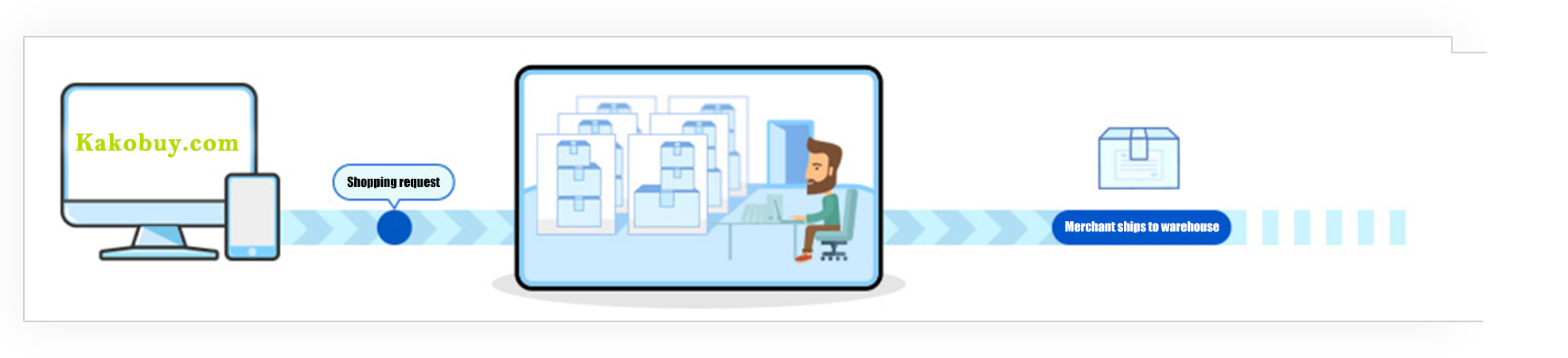
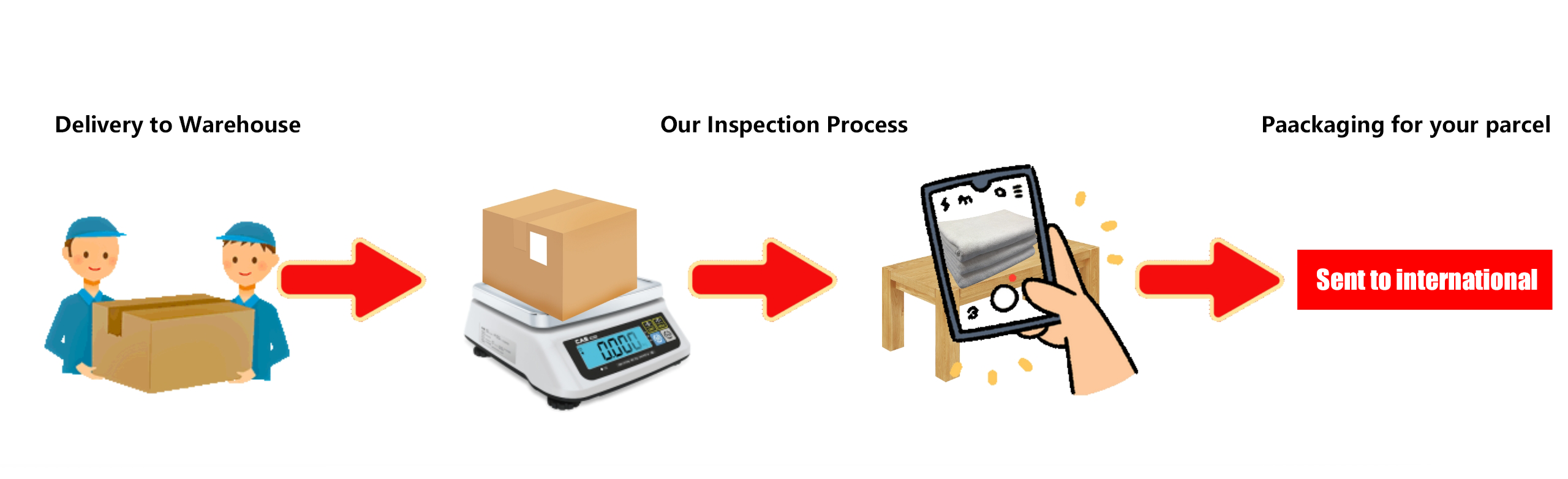
Kakobuy reviews the purchasing request and places the marketplace order. The seller then sends the item domestically to the warehouse. Payment, purchasing and seller dispatch are different statuses.
The official tutorial describes order review in 3–5 working hours and a domestic delivery cycle of 3–5 days. These are the operator's published indications, checked in the tutorial on 15 October 2026, not a deadline for your order. Seller stock, working hours and delivery conditions can change the wait.
Review quality inspection and storage
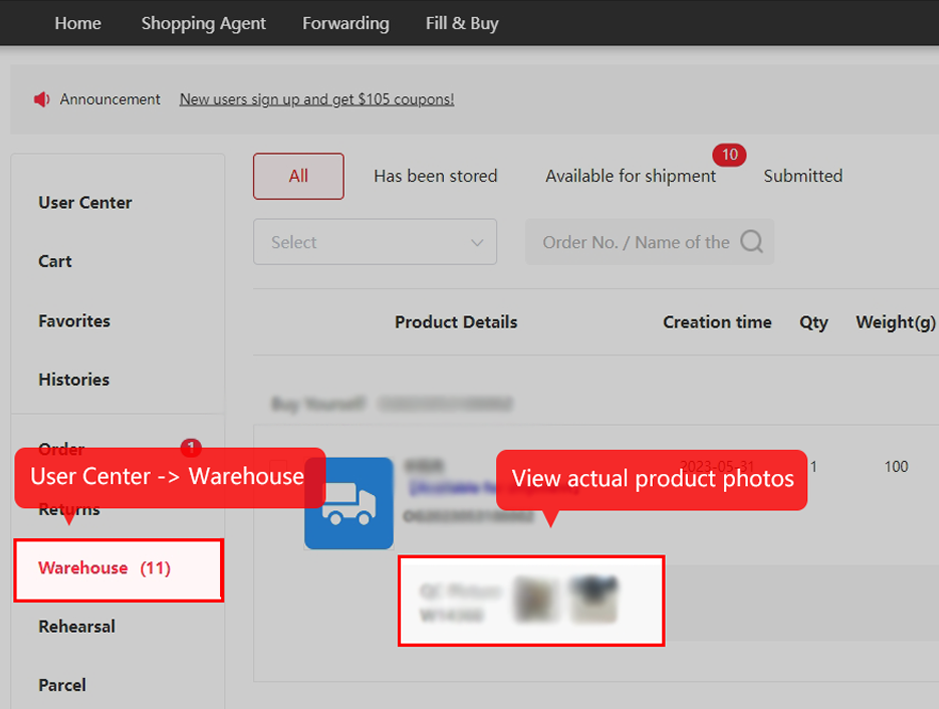
After warehouse arrival, open the stored item and its QC Picture thumbnails. Compare what is visible with the order you submitted: colour, size label, quantity, condition and any requested detail.
Visual QC does not establish authenticity, electronic function or every hidden defect. Sealed items and some categories have narrower inspection coverage. Request the particular photo or measurement that resolves your concern before you submit the parcel.
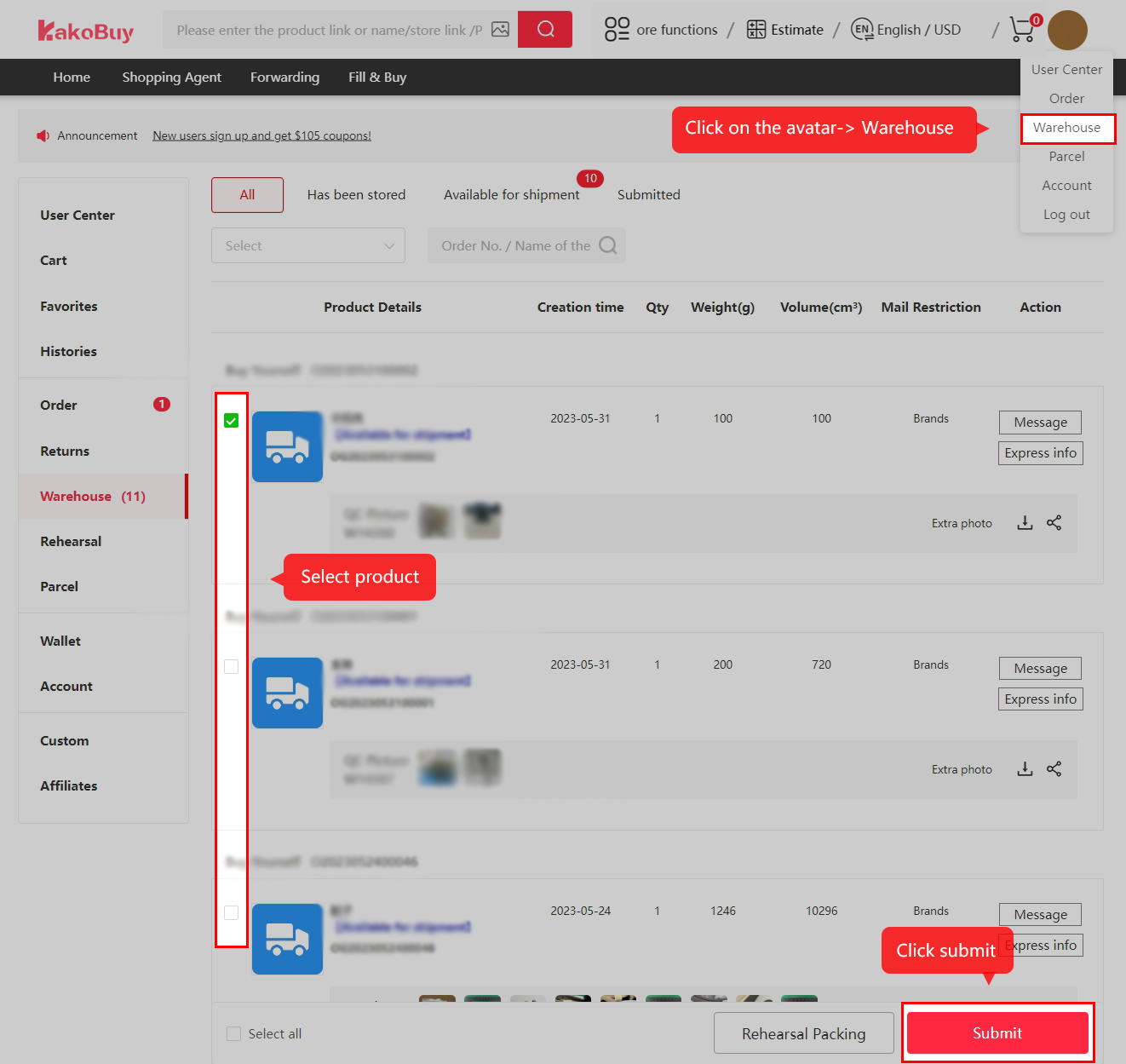
Submit your overseas shipment and pay its fees
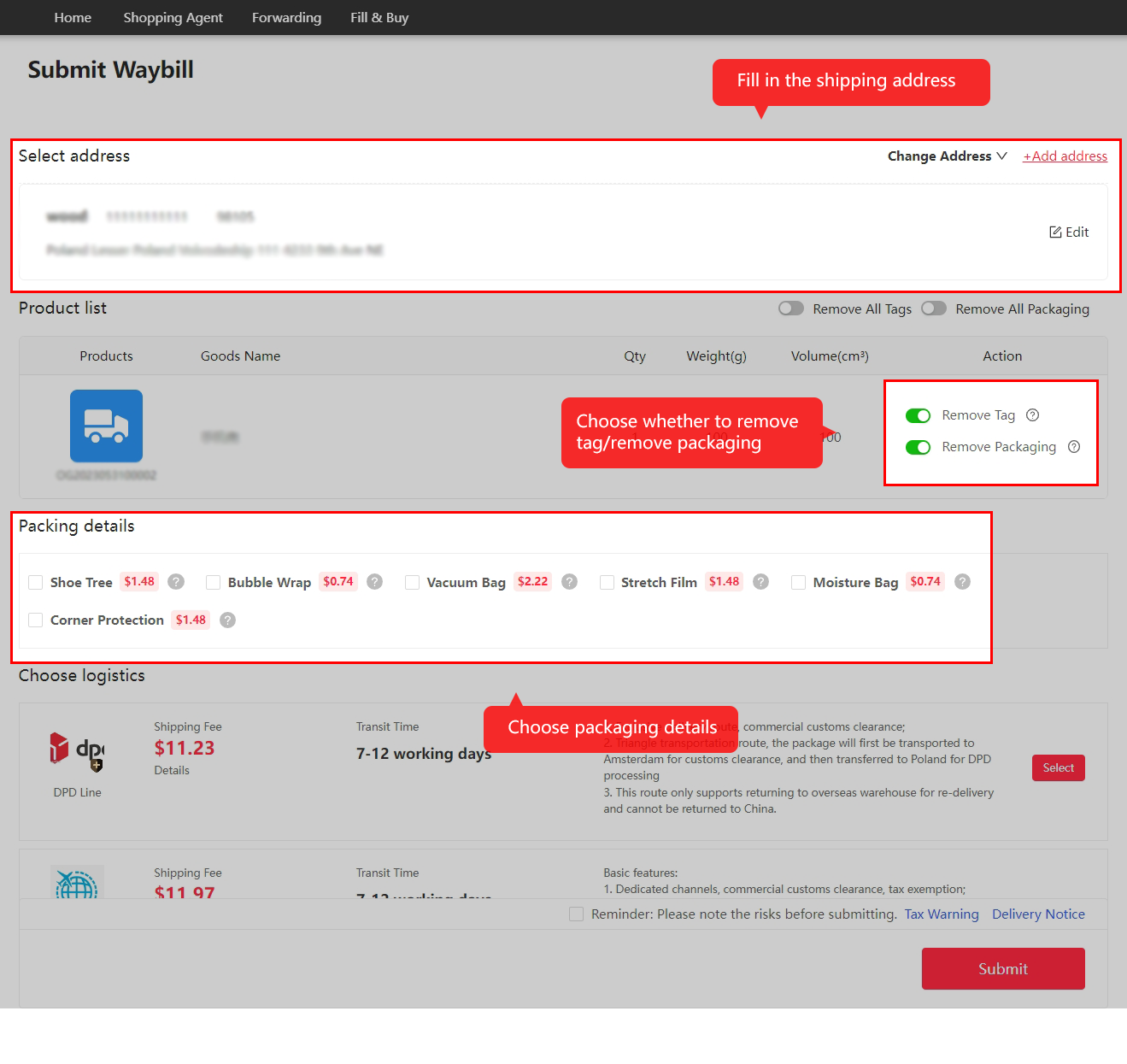
Select the stored items for this parcel, check the recipient address and choose packing options. Keep packaging that protects fragile contents; do not remove every box or tag without a reason.
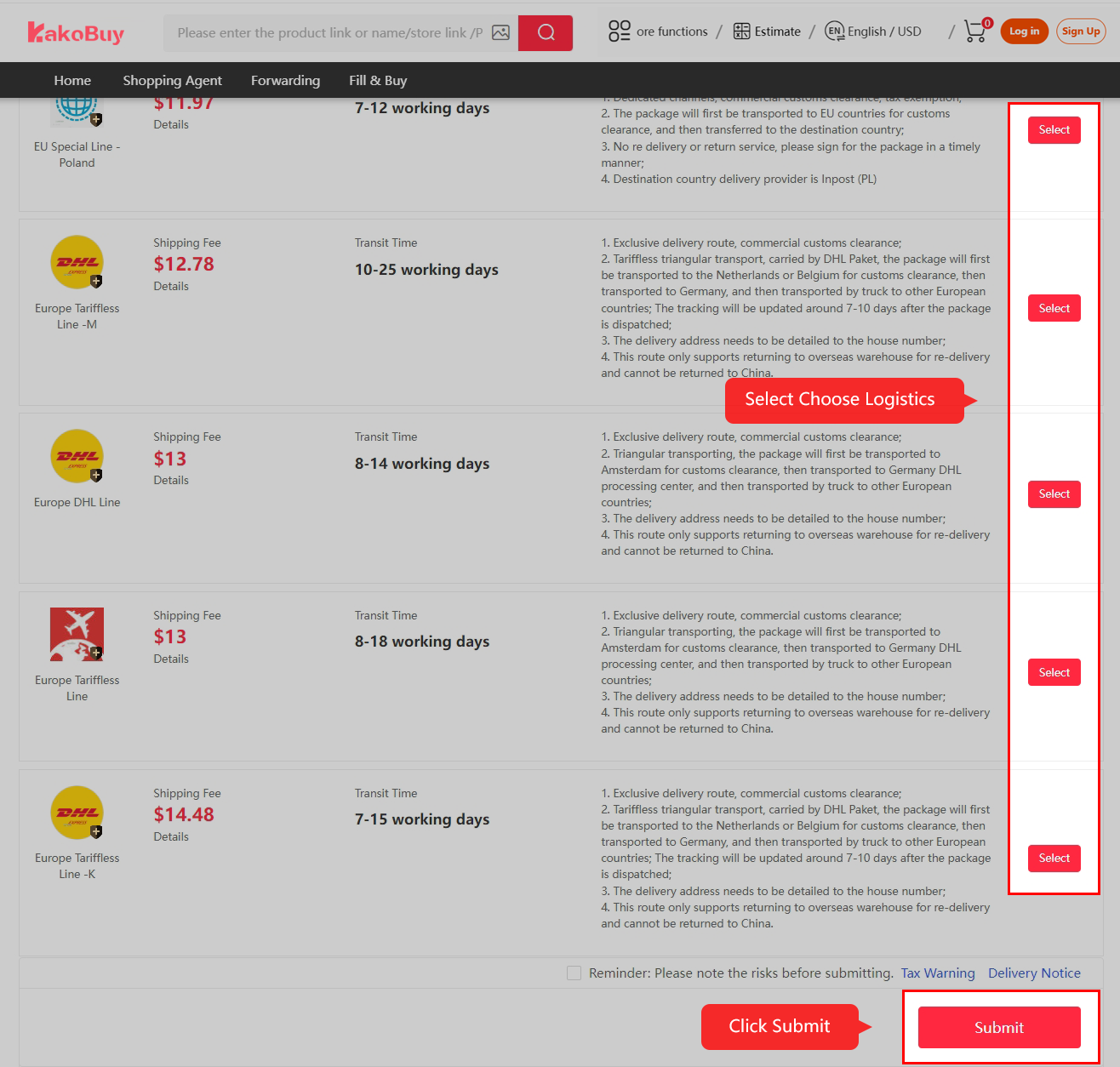
Compare eligible logistics for your destination and goods type, read the restrictions and insurance terms, then review the parcel checkout and pay international shipping. Apply only a coupon that the live checkout accepts for this parcel.
Warehouse item measurements help planning. Packed dimensions, packaging weight and the chosen route's billing formula determine the final chargeable weight. Older routes, coupon values and prices pictured below do not establish today's availability.
Follow packing, dispatch and transport
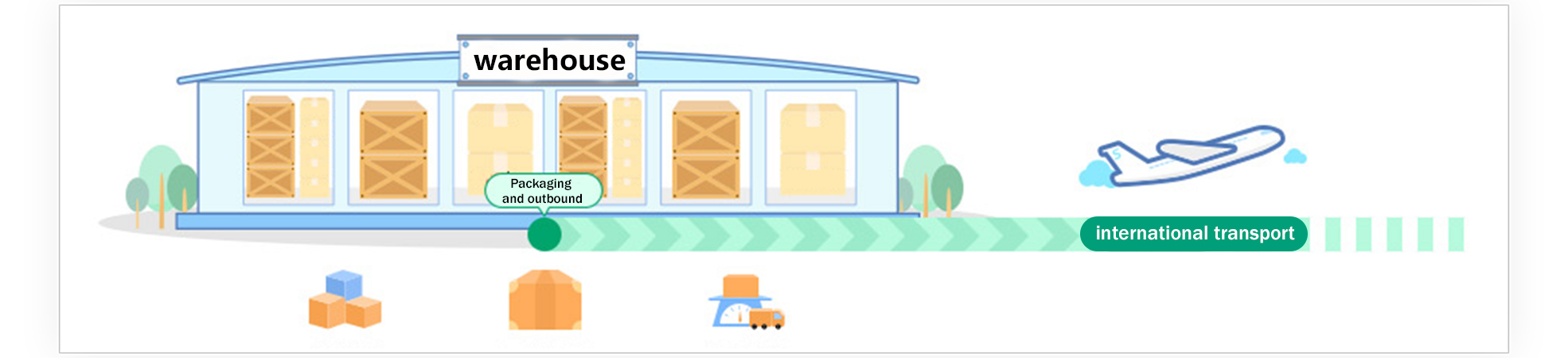
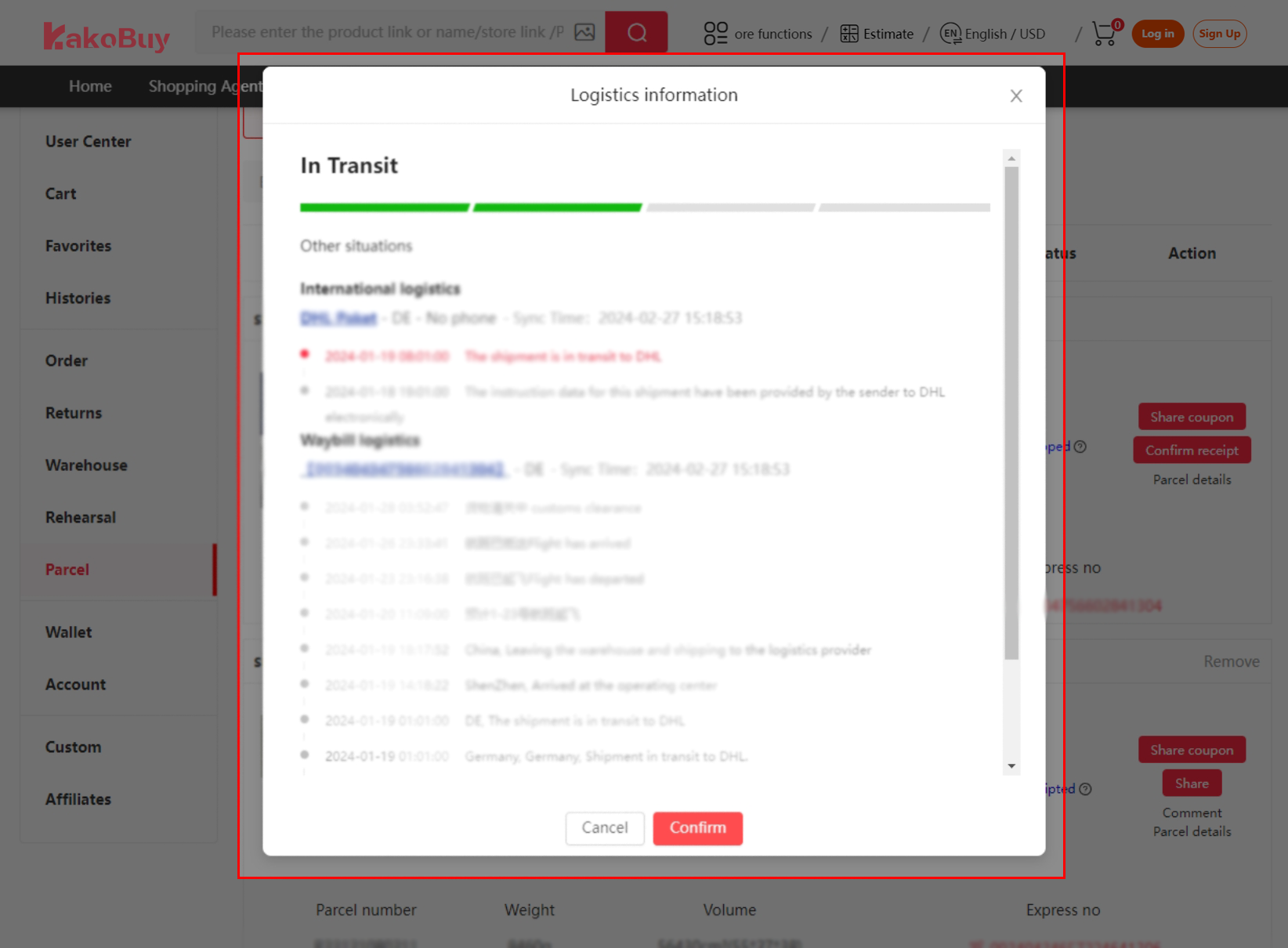
After parcel submission and payment, Kakobuy arranges packing and outbound processing, then hands the parcel to the carrier. Follow the actual parcel status and logistics events in your account.
Different stages may update at different times. A tracking gap can occur between handovers; it does not by itself prove loss or justify a promised delivery date. Keep the route name and latest event when contacting support.
Inspect delivery and confirm receipt
When the parcel arrives, inspect the packaging and contents before confirming receipt. Compare the items with your order and retain clear evidence of any damage or missing contents.
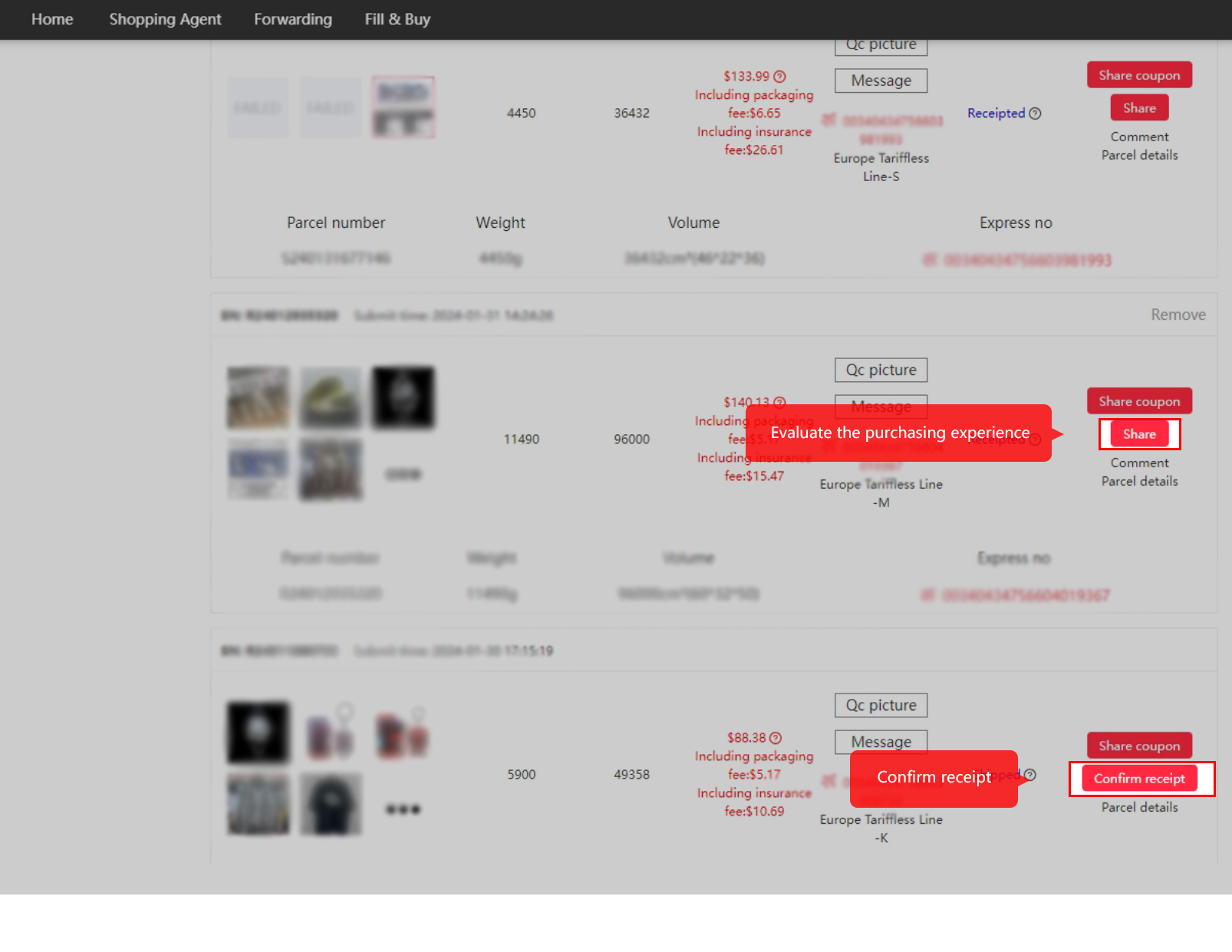
Use the parcel support channel promptly for a genuine delivery problem, with the parcel number and relevant photos. Confirm receipt once you have received and checked the order. A shared review is optional; it should describe your actual experience.
Keep the item and parcel decisions separate
The first payment funds goods and seller-to-warehouse delivery. The second funds international freight and selected parcel services. Price shortfalls and final packed measurements can change totals; an early estimate is not a final invoice.
The buyer-hours clock estimates published desk windows. The status lookup explains common labels. Neither connects to your account, guarantees a processing time or proves where a parcel is.
Normal storage 100 days, abnormal storage 60 days and eligible returns 120 hours are separate clocks. Check the actual account deadline and ask before expiry; do not wait for a generic timing example to run out if your order has an exception.
Ready to use the account?
Review the current account terms, payment options and destination routes before spending. A low item price does not mean low international freight.